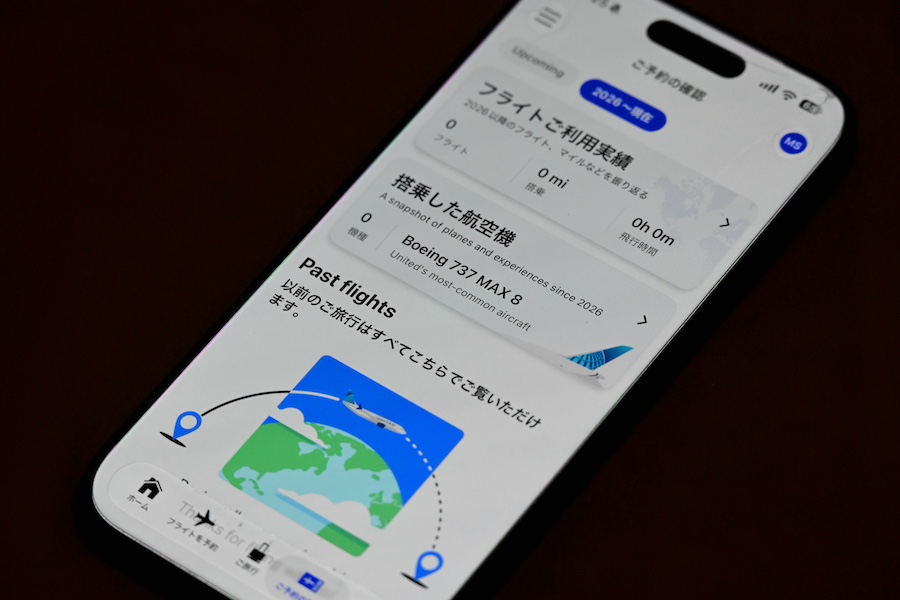
United Airlines launched a Japanese-language version of its mobile app on October 15.
Users can now access services in Japanese, from flight search and booking to check-in, boarding pass retrieval, baggage tracking, and connection guidance in the United States. The app also supports fare displays and payments in Japanese yen, making the yen the first currency outside North America to be supported.
According to the airline, more than 85% of customers use the app on their day of travel. Japan is United’s second-largest MileagePlus market outside the United States, and the Japanese-language version is intended to improve convenience for travelers in Japan.
The app had previously been available only in English and Spanish. According to United, it is the first major U.S. airline to offer a fully Japanese-language version of its app. If the language on an iPhone or Android device is set to Japanese, the app will automatically be displayed in Japanese.
United’s mobile app offers features including “Virtual Gate,” which provides real-time information on boarding groups, the number of passengers already boarded, and the boarding cut-off time, as well as the “Travel-Ready Center,” which allows travelers to check required documents and travel requirements before departure. Travel documents are guided according to the departure point, destination, and nationality, and can also be scanned and uploaded.
For seat selection, MileagePlus members can register their preferred seat conditions in advance, and the app will automatically change their seat if one that more closely meets those preferences becomes available before departure. For baggage tracking, scan information recorded when bags are loaded onto or unloaded from airport facilities and aircraft is reflected in the app, allowing users to check their baggage loading status even from onboard the aircraft.
For connections, the app provides directions to the next departure gate, estimated walking time, and flight status, taking into account whether customs clearance or another security screening is required. It also shows whether travelers should turn left or right immediately after leaving the aircraft, helping them navigate unfamiliar airports.
In addition, on an iPhone’s Lock Screen, Dynamic Island, and Apple Watch, users can check the remaining time until boarding, boarding gate, seat, and baggage status without opening the app. Upon arrival, the app also provides information such as baggage claim belts and rideshare pickup locations at each airport.
After a trip, users can review their annual number of flights, distance traveled, longest and shortest flights, cities and countries visited, and aircraft types flown. The app also offers a display that lets users enjoy their flight records by aircraft livery like trading cards.
Notice
This article was generated using automatic translation by GPT-4 API. The translation may not be accurate.